
The New Reality of Remote Work
Learn exactly how to stay productive working from home. Master workspace setup, time management, digital hygiene, and mental health strategies to boost focus and beat burnout.
Let’s address the elephant in the room. Working from home was supposed to be a dream. No commutes, flexible hours, working in your pajamas. But for many, that dream has slowly morphed into a blurry nightmare of blurred boundaries, endless distractions, and the creeping sensation that you’re always “on.”
The statistics are sobering. A 2025 study by the American Psychological Association found that 67% of remote workers report higher levels of burnout than their in-office counterparts. The culprit? Not the work itself, but the inability to disconnect. The kitchen table becomes the boardroom. The laundry pile becomes a looming deadline. Slack notifications bleed into dinner time.
But here’s the truth: remote work isn’t broken. Our approach to it is.
In 2026, how to stay productive working from home is no longer just about avoiding Netflix. It is a sophisticated discipline that combines environmental design, digital hygiene, psychological resilience, and strategic time management. The people who thrive remotely aren’t the ones with the most willpower; they are the ones with the best systems.
This guide will give you those systems. We are moving beyond the generic “take breaks and drink water” advice. We are diving deep into the neuroscience of focus, the architecture of the ideal digital workspace, and the art of setting boundaries that actually stick.
Part 1: The Physical Environment – Engineering Your Focus
You cannot think clearly in a space that feels chaotic. Your environment sends subconscious signals to your brain. If you are working in a cluttered bedroom, your brain associates that space with rest, not focus. Here is how to stay productive working from home by redesigning your physical space.
1.1 Create a Dedicated “Work Zone” (Even in a Studio Apartment)
If you have a spare room, great. If not, you need to create a visual and physical separation.
- The “Screens Up, Screens Down” Rule: If you work at your dining table, buy a folding room divider or a large plant. When your laptop is open, the divider is up, signaling “Work Mode.” When it’s closed, the divider is down.
- The Illusion of a Commute: To signal the start of the workday, take a 15-minute walk around the block before you sit down. This replaces the mental transition of a physical commute.
1.2 Ergonomics Are Non-Negotiable
Your grandmother was right: posture matters. Chronic back pain is a massive productivity killer.
- The 90/90/90 Rule: Your feet should be flat on the floor (90 degrees), your knees at a 90-degree angle, and your elbows at a 90-degree angle when typing.
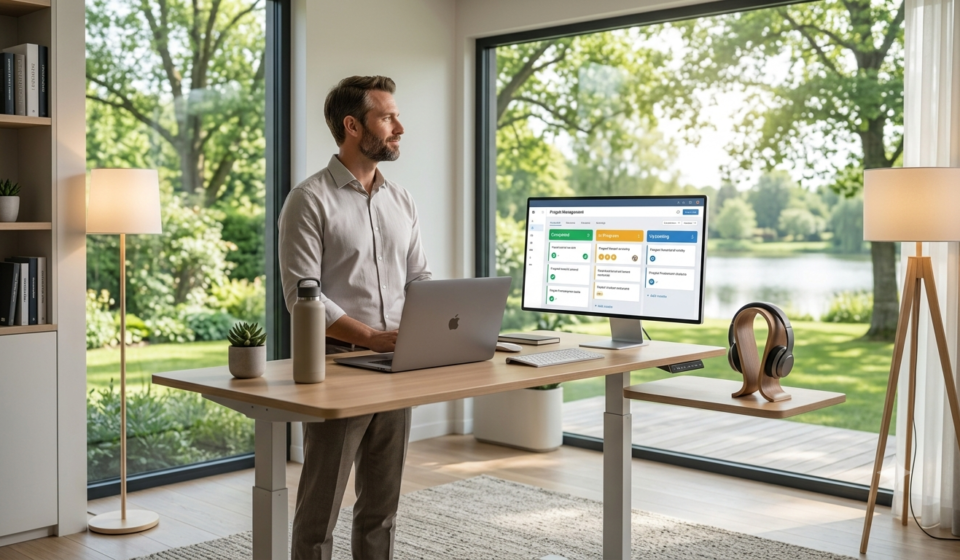
- Monitor Height: The top of your screen should be at or slightly below eye level. If you are using a laptop, invest in a $30 laptop stand.
- The “Touch” Test: If your shoulders are hunched up near your ears while typing, your desk is too high. Lower it or raise your chair.
1.3 Lighting and Acoustics
- Lighting: Harsh overhead fluorescent lights cause eye strain and fatigue. Use a desk lamp with a warm bulb (2700K-3000K) and position it so it illuminates your keyboard area. If possible, position your desk to face a window for natural light—it boosts vitamin D and mood.
- Acoustics: If you live in a noisy area, white noise is your best friend. Use a white noise machine or an app like Noisli. Alternatively, noise-canceling headphones (even without music) signal to your brain that it is time to focus.
Read More: 15+ Best Project Management Tools for Freelancers in 2026 (Free & Paid)
Read More: 10 Restaurant KPIs Every Owner Should Track Weekly
Part 2: Digital Hygiene – Taming the Technology Beast
Your computer is a tool, but it is also a source of infinite distraction. To master how to stay productive working from home, you must treat your digital environment with the same care as your physical one.
2.1 The Notification Purge
This is the single biggest lever you can pull. Notifications are designed to hijack your dopamine system.
- The 5-Minute Audit: Spend 5 minutes turning off every non-essential notification on your phone and computer.
- Disable Slack/Teams pop-ups.
- Turn off email banners.
- Disable social media notifications.
- The “Do Not Disturb” Schedule: Set a recurring “Focus” mode on your phone and computer from 9 AM to 12 PM and 2 PM to 5 PM. Only VIP contacts (your manager, spouse, or kids’ school) can break through.
2.2 The Single-Tab Philosophy
Multitasking is a myth. You are just rapidly switching contexts, which drains your cognitive reserves.
- Deep Work Tab: Keep only one browser window open for the task you are doing right now.
- The “Parking Lot”: Keep a physical notebook or a sticky note app (like Notion) for “rabbit holes.” When you think of something you need to check, write it down and schedule time for it later, rather than opening a new tab immediately.
2.3 AI as Your Personal Gatekeeper
Use AI to filter the noise so you can focus.
- AI Email Summarization: Instead of reading a long thread, use ChatGPT or your email client’s AI feature to summarize it for you. Prompt: “Summarize this email thread in 3 bullet points and tell me what action I need to take.”
- AI Meeting Transcripts: Tools like Otter.ai or Fireflies.ai can record your meetings, allowing you to stay fully engaged in the conversation rather than frantically taking notes.
Part 3: Time Management – The Architecture of Your Day
Knowing how to manage your time is the core of how to stay productive working from home. Without the structure of an office, you must impose your own.
3.1 Time Blocking (The Deep Work Method)
Cal Newport’s “Deep Work” philosophy suggests that focus is a muscle that needs uninterrupted time to perform.
- Schedule Your Focus: Block off 90-minute periods in your calendar for “Deep Work.” During these periods, you work on your most important task. No email, no messages, no distractions.
- Identify Your “Biological Prime Time”: Are you a morning lark or a night owl? Schedule your Deep Work periods during your peak energy hours. If you have the most energy at 7 AM, do your hard work then. Save admin tasks (emails, invoicing) for the afternoon slump (usually 2-3 PM).
3.2 The Pomodoro Technique (Modified)
The traditional Pomodoro is 25 minutes of work, 5 minutes of rest. However, research suggests that 90-minute “ultradian rhythms” are more aligned with our natural focus cycles.
- Try 90-Minute Sprints: Work intensely for 90 minutes, then take a 15-20 minute break. Get up, walk around, do some stretches, or look out the window. This rests your visual cortex and prevents digital eye strain.
3.3 The “Eat the Frog” Strategy
Mark Twain once said, “If it’s your job to eat a frog, it’s best to do it first thing in the morning.”
- The Rule: Identify the single most difficult, important task on your list (the “frog”). Do it before you check your email or do anything else. This gives you a massive dopamine hit early in the day and ensures that even if the rest of the day falls apart, you’ve already won.
Part 4: The Psychology of Boundaries – Protecting Your Sanity
The biggest challenge of remote work is that “home” becomes “work.” Here is how to stay productive working from home by establishing psychological boundaries.
4.1 The Digital Shutdown Ritual
This is crucial. When you work in an office, you physically leave. At home, you need a ritual to signal the end of the day.
- The “Close the Laptop” Rule: Once you close your laptop at the end of the day, do not open it again.
- The “End of Day” Checklist: Before you log off, create a “Closeout” checklist:
- Clear your browser tabs.
- Check your calendar for tomorrow.
- Write down the top 3 things you need to do tomorrow.
- Close your laptop physically.
4.2 Physical Separation (The Box Method)
If you work on a laptop, get a box or a drawer. At 5:30 PM, put your laptop and work-related materials in the box, close it, and put it out of sight. This creates a physical boundary that your brain recognizes.
4.3 Managing Expectations with Family/Housemates
You need to communicate boundaries clearly.
- The “Do Not Disturb” Signal: Wear headphones when you are in Deep Work. This is a universal signal that you are “in the zone.”
- The “Blocked” Calendar: Block out your focus time on your Google/Outlook calendar and share it with your family. Treat it as seriously as a physical meeting you cannot miss.
Part 5: Communication – The Over-Communication Principle
In an office, you can turn your head and ask a question. Remotely, you need to be intentional. Effective communication is a pillar of how to stay productive working from home.
5.1 The Asynchronous First Principle
Don’t interrupt your colleagues’ flow with a quick message if it isn’t urgent. Use asynchronous communication (emails, recorded Loom videos, project management comments).
- The “Last Read” Rule: If you send a message expecting an immediate reply, add “URGENT” or “ASAP” only when the building is on fire. Otherwise, let people reply in their own time.
5.2 Recorded Video Updates (Loom)
Stand-up meetings can be a massive time drain. Instead of a 30-minute sync meeting, record a 2-minute Loom video summarizing your progress, blockers, and next steps.
- Why it works: It allows everyone to consume the update at 2x speed and saves 28 minutes per person per day.
5.3 The “What I Need” Format
When asking for help, structure your message to make it easy for the responder.
- Template: “Hey [Name], I am trying to solve [Problem]. I have already tried [Solution A] and [Solution B]. I think I need [Specific Help]. Do you have 5 minutes to look at this?”
- Why it works: It shows respect for their time and accelerates the resolution.
Part 6: Health and Wellness – The Fuel for Performance
You cannot be productive if you are running on empty. Physical health is the foundation of cognitive performance.
6.1 The 20-20-20 Rule (For Your Eyes)
Every 20 minutes, look at something 20 feet away for 20 seconds. This prevents Computer Vision Syndrome (dry eyes, blurry vision).
6.2 Hydration and Nutrition
- The Water Hack: Keep a 1-liter water bottle on your desk. If you finish it by 2 PM, you are doing well. Dehydration causes fatigue and brain fog.
- The “Complex Carb” Lunch: Avoid heavy lunches high in simple sugars (white bread, pasta). They cause a massive insulin spike followed by a crash (the 2 PM slump). Opt for proteins, healthy fats, and vegetables.
6.3 The “Micro-Movement” Break
Sitting is the new smoking. Set a timer to stand up and stretch every 90 minutes.
- Desk Stretches:
- Chin Tucks: Pull your head back to align your ears with your shoulders.
- Shoulder Shrugs: Shrug your shoulders up to your ears, then roll them back and down.
- Spinal Twist: While seated, twist your torso to the right, hold for 10 seconds, then twist to the left.
6.4 Social Connection
Loneliness is a productivity killer. You need to actively schedule social interactions.
- Virtual Coffee Breaks: Schedule a 15-minute Zoom call with a colleague just to chat. No work talk allowed.
- Coworking Spaces (Part-Time): If you feel isolated, try a coworking space one day a week. The ambient noise and presence of other workers can be surprisingly motivating.
Part 7: Advanced Productivity Strategies for Power Users
Ready to level up? These strategies are used by executive coaches and productivity experts.
7.1 The “Time Audit” (The Toggl Method)
For one week, track every minute of your day using a tool like Toggl. You will be shocked at how much time is wasted on “context switching.”
- The “Unfocus” Period: Identify your most unproductive time (e.g., 2-3 PM). Schedule all your admin work here—emails, invoicing, expense reports. You aren’t losing peak brainpower; you are just doing simple tasks.
7.2 The “Two-Minute Rule”
From David Allen’s “Getting Things Done”: If a task takes less than two minutes, do it immediately. If it takes longer, schedule it. This prevents your to-do list from becoming a graveyard of tiny tasks.
7.3 Batching (Task Grouping)
Instead of switching between writing, design, and research (which costs your brain 20-30 minutes each time), batch similar tasks together.
- Example: Do all your writing on Monday and Tuesday. Do all your graphic design on Wednesday. Do all your meetings on Thursday. This minimizes context switching.
7.4 The “Anti-Goal” (The “Not-to-Do” List)
This is a powerful psychological trick. Write a list of things you will not do today to be productive.
- Examples: I will not check email before 10 AM. I will not open Twitter until 12 PM. I will not agree to last-minute meetings. This clarifies your priorities just as much as a to-do list.
Part 8: Overcoming Common Remote Work Pitfalls
Let’s tackle the specific demons of the WFH environment.
8.1 Dealing with Isolation
- The Solution: Join a remote work community. Platforms like “WIP” or “r/remotework” have daily chat threads. Even just reading about others’ struggles can make you feel less alone.
8.2 Managing Overwhelm (The “Brain Dump”)
- The Solution: When you feel overwhelmed, stop working. Open a blank document and type everything that is on your mind. Unfiltered. This gets the chaos out of your head and onto paper. Then, categorize it (Urgent/Important).
8.3 The “Zoom Fatigue” Cure
- The Solution: Don’t have a camera on for every meeting. Switch to audio-only for internal team syncs. The cognitive load of processing 25 faces on a grid is enormous. Use “Speaker View” to only look at the person speaking.
Part 9: The AI Co-Pilot for Your WFH Day
In 2026, the best way to stay productive working from home is to lean on AI to handle the administrative burden.
9.1 AI for Agenda Creation
- Prompt: “I have a meeting with a client at 3 PM. The topic is the Q3 marketing report. Here is the data: [Paste Data]. Create a 15-minute agenda with talking points.”
9.2 AI for Drafting Emails
- Prompt: “Draft a follow-up email to a client who hasn’t signed the contract yet. Be polite but imply urgency. Remind them of the start date.”
9.3 AI for Summarization
- Prompt: “Summarize this 40-minute meeting transcript into 5 key takeaways and assign action items to each team member based on who volunteered.”
9.4 AI as a Rubber Duck
This is a programmer’s trick. When you are stuck on a problem, “explain” it to the AI. You will often find the solution just by verbalizing the problem.
- Prompt: “I am trying to solve X. I have tried Y and Z. Here is my code/plan. Act as a rubber duck and ask me clarifying questions to help me think through it.”
Conclusion: Building Your Sustainable WFH Routine
Mastering how to stay productive working from home is not about perfection; it is about consistency. You won’t hit every goal every day. But by implementing even a third of the strategies in this guide—designing your physical space, purging notifications, establishing a shutdown ritual, and batching your tasks—you will see a massive shift in your focus and output.
Remember, the goal of productivity isn’t to work more. The goal is to get your work done efficiently so you can enjoy your life. The irony of remote work is that when you are productive, you actually have less work stress, which allows you to be more present for your family and yourself.
Start small. Pick one strategy from this guide and implement it this week. Next week, pick another. Over time, these habits will compound, turning your home into a sanctuary of productivity rather than a prison of procrastination.
Frequently Asked Questions (FAQ)
1. What is the biggest distraction when working from home?
According to a 2025 Buffer survey, the biggest distractions are household chores (34%), social media (28%), and family interruptions (23%). The solution is dedicated workspace boundaries and scheduled break times for chores.
2. How do I stop feeling guilty when I take a break?
Guilt is counterproductive. Use the Pomodoro/Ultradian rhythm method. Schedule your breaks. When you are on a scheduled break, you are being productive because you are resting your brain for the next sprint.
3. Is it okay to work from my bed?
No. For long-term productivity and spinal health, your bed should be strictly for sleeping. Working from bed confuses your brain, making it harder to fall asleep at night and harder to focus during the day.
4. How can I stay productive without a manager watching me?
Internal motivation is key. Use the “Time Blocking” method to create a structured day for yourself. Treat the blocks as client appointments you cannot miss. Track your output rather than your hours.
5. What are the best tools for staying productive while WFH?
- Focus: Freedom (app blocker) or Cold Turkey.
- Time Tracking: Toggl or Clockify.
- Project Management: Trello, ClickUp, or Notion.
- Communication: Loom (video) and Slack.
- AI Assistant: ChatGPT or Claude for drafting and summarizing.