
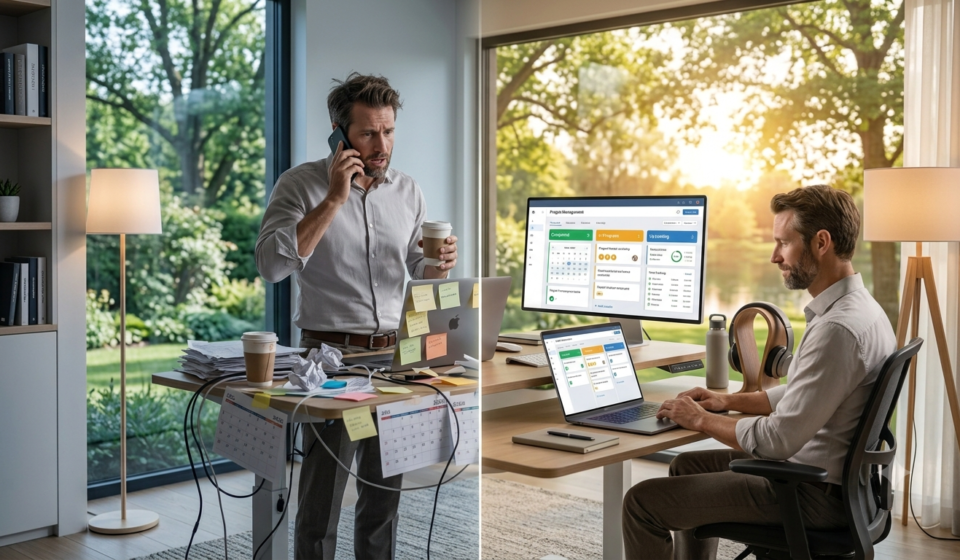

Discover the best apps for time management in 2026. Compare top tools for tracking, focus, scheduling, and task management to reclaim your time and boost productivity.
The Time Crisis
Let’s be honest with each other. You are busy. You are probably too busy. But here is the uncomfortable truth: busyness and productivity are not the same thing. In fact, they are often opposites.
Research from the American Psychological Association shows that the average person’s attention span has plummeted from 2.5 minutes in 2004 to just 47 seconds today. The average person spends about 3.6 hours a day on their phone, with roughly 2 hours and 21 minutes going to social media. Multitasking—which is really just rapid context-switching—can eat up to 40% of your productive time. And here is the kicker: even having your phone nearby, face-down and silent, measurably lowers your available brainpower.
Willpower alone rarely beats that.
This is why the best apps for time management are no longer a luxury—they are essential infrastructure for a functioning life. They level a playing field that is fundamentally tilted against you.
But here is the problem with most “best time management apps” lists: they pick fifteen random apps and rank them as if they are solving the same problem. They aren’t.
Time management isn’t one job. It’s four.
This guide takes a different approach. We will break down the best apps for time management into four distinct stages of a workday:
- Plan & Schedule – Calendars that answer “What am I doing today, and when?”
- Capture & Organize – Task managers that answer “What needs to get done?”
- Focus – Pomodoro timers and distraction blockers that answer “Will I actually do it without getting pulled away?”
- Track – Automatic time trackers that answer “Where did my time actually go?”
Each stage answers a different question. Trying to cover all four with one app usually means doing all four poorly. The right calendar won’t make your day distraction-free. The strictest distraction blocker still won’t tell you where last Tuesday actually went.
So let’s build your stack.
Read More: How to Stay Productive Working from Home: 20 Proven Strategies for 2026
Read More: 10 Restaurant KPIs Every Owner Should Track Weekly
Part 1: Plan & Schedule – The Best Calendar Apps
The question this stage answers is: “What am I doing today, and when?” A good calendar app deliberately reserves time for the work that matters, syncs across all your devices, and surfaces your schedule where you can see it.
1. Google Calendar (Free)
Google Calendar remains the undisputed king of calendar apps. It is free, syncs across every device, integrates with virtually everything, and offers a clean, intuitive interface.
- Best For: Everyone. It is the baseline.
- Key Features:
- Seamless Gmail integration (events from emails auto-add)
- Multiple calendar views (Day, Week, Month, Schedule)
- Shareable calendars for family or team
- Goals feature that automatically schedules time for your priorities
- Free Plan: Completely free
- Platforms: Web, iOS, Android
2. Fantastical (Paid)
Fantastical is widely considered the best calendar app for Mac and iOS users. It combines a beautiful interface with powerful natural language processing.
- Best For: Apple users who want the most polished calendar experience.
- Key Features:
- Natural language input (“Lunch with Sarah at 1 PM tomorrow” creates the event)
- Menu bar mini-calendar on Mac
- Integrated tasks and weather
- Multiple calendar support (iCloud, Google, Exchange)
- Free Plan: Limited free version available
- Paid Pricing: Subscription-based
- Platforms: Mac, iOS, Apple Watch
3. Calendly (Free + Paid)
Calendly is the gold standard for scheduling meetings without the back-and-forth email tennis.
- Best For: Professionals, consultants, and anyone who books multiple meetings.
- Key Features:
- Share a link; others book time based on your availability
- Buffer times between meetings
- Integration with Google, Outlook, and iCloud
- Automated reminders and follow-ups
- Free Plan: One event type, basic features
- Paid Pricing: Starts at around $10/month
- Platforms: Web, iOS, Android
4. Reclaim.ai (Free + Paid)
Reclaim.ai is an AI-powered scheduling tool that automatically protects your focus time on your calendar.
- Best For: Knowledge workers who struggle to protect deep work time.
- Key Features:
- Auto-schedules “focus time” blocks around your meetings
- Smart scheduling for habits (exercise, reading, etc.)
- Integrates with Google Calendar
- Free Plan: Limited free tier
- Paid Pricing: Paid plans for teams and advanced features
Part 2: Capture & Organize – The Best Task Managers
The question this stage answers is: “What needs to get done?” A good capture app is a low-friction inbox for the things that pop into your head while you are doing something else, and a calm place to sort them out later.
5. Todoist (Free + Paid)
Todoist is widely regarded as one of the most powerful and flexible task managers available. It is fast, cross-platform, and has an incredibly clean interface.
- Best For: Power users who want a robust task management system.
- Key Features:
- Natural language input (“Buy milk tomorrow at 5 PM” auto-sets date and time)
- Projects, sub-projects, and sections
- Labels, filters, and priority levels
- Karma system for motivation
- Collaboration features for team projects
- Free Plan: Up to 5 projects, basic features
- Paid Pricing: Starts at around $5/month
- Platforms: Web, iOS, Android, Mac, Windows
6. Things 3 (Paid)
Things 3 is the gold standard for Mac and iOS task management. It is beautifully designed, intuitive, and follows the “Getting Things Done” (GTD) methodology closely.
- Best For: Apple users who value design and simplicity.
- Key Features:
- Areas, Projects, and Headings for organizing
- “Today” and “Upcoming” views
- Quick entry with natural language
- Elegant, distraction-free interface
- Pricing: One-time purchase (Mac, iPhone, iPad separately)
- Platforms: Mac, iOS, Apple Watch
7. Any.do (Free + Paid)
Any.do combines to-do lists, calendar, reminders, and notes in one app. It is particularly strong for people who plan their day by hours, not just dates.
- Best For: Users who want an all-in-one task + calendar solution.
- Key Features:
- Calendar integration
- Smart suggestions
- Voice entry
- Shared lists
- Free Plan: Yes
- Paid Pricing: Subscription-based
- Platforms: Web, iOS, Android
8. Microsoft To Do (Free)
Microsoft To Do is a solid, free task manager that integrates beautifully with the Microsoft ecosystem (Outlook, Teams, etc.).
- Best For: Microsoft 365 users.
- Key Features:
- My Day view for daily planning
- Integration with Outlook tasks
- Lists and grouped tasks
- Reminders and due dates
- Free Plan: Completely free
- Platforms: Web, iOS, Android, Mac, Windows
Part 3: Focus – The Best Apps for Distraction-Free Work
The question this stage answers is: “Will I actually do it without getting pulled away?” A timer structures the session. A blocker enforces it. Most users benefit from one of each.
9. Freedom (Free Trial + Paid)
Freedom is one of the most popular and effective distraction-blocking apps. It blocks distracting websites and apps across all your devices simultaneously.
- Best For: Anyone who struggles with digital distractions.
- Key Features:
- Cross-platform blocking (Mac, Windows, iOS, Android, Chrome)
- Syncs blocks across all devices
- Scheduled focus sessions
- Allow lists for essential sites
- Scientific Backing: A 2025 randomized controlled trial found that blocking mobile internet for two weeks improved focus by an amount comparable to ten years of age-related decline, improved mental health, and reduced daily screen time from 314 minutes to 161 minutes.
- Free Plan: Limited free trial
- Paid Pricing: Subscription-based
- Platforms: Mac, Windows, iOS, Android, Chrome
10. Forest (One-time Purchase)
Forest gamifies focus. You plant a virtual tree that grows while you work. If you leave the app to check social media, the tree withers and dies.
- Best For: Gamification lovers and visual thinkers.
- Key Features:
- Plant virtual trees during focus sessions
- Build your own forest over time
- Real trees planted through partners (with in-app currency)
- Allow lists for essential apps
- Pricing: One-time purchase (around $3-5)
- Platforms: iOS, Android, browser extension
11. Cold Turkey (Free + Paid)
Cold Turkey is a powerful, no-nonsense distraction blocker known for its strictness.
- Best For: Users who need extreme blocking measures.
- Key Features:
- Block websites, applications, or the entire internet
- Scheduled blocks
- “Frozen Turkey” mode—once started, you cannot stop it
- Free Plan: Yes, with basic features
- Paid Pricing: One-time purchase for Pro
- Platforms: Windows, Mac
12. Focus@Will (Free Trial + Paid)
Focus@Will uses neuroscience-based music to improve concentration.
- Best For: People who find silence distracting but music with lyrics even more so.
- Key Features:
- Curated music tracks designed for focus
- Different channels for different tasks
- Time tracking built in
- Free Plan: Limited free trial
- Paid Pricing: Subscription-based
- Platforms: Web, iOS, Android
13. Pomofocus (Free)
Pomofocus is a simple, elegant Pomodoro timer that works in your browser.
- Best For: Pomodoro method practitioners.
- Key Features:
- Customizable timer lengths (focus, short break, long break)
- Task list integrated with timer
- Statistics and reports
- Free Plan: Completely free
- Platforms: Web
Part 4: Track – The Best Time Tracking Apps
The question this stage answers is: “Where did my time actually go?” This is the stage most people skip and the one that turns the other three from a stack of tools into a system that improves over time.
14. Toggl Track (Free + Paid)
Toggl Track is widely considered the best time-tracking app overall. It has a clean interface, a usable free tier, and paid plans that deliver real project-level reporting without a steep learning curve.
- Best For: Freelancers, remote teams, and anyone who bills by the hour.
- Key Features:
- Free Plan: Yes, with core features
- Paid Pricing: Starts at around $9/month
- Platforms: Web, iOS, Android, Mac, Windows, browser extensions
15. Clockify (Free + Paid)
Clockify is the most feature-rich free time-tracking option available. It is used by millions of people.
- Best For: Teams and individuals who need robust features without paying.
- Key Features:
- Free Plan: Very generous free tier
- Paid Pricing: Starts at around $7.99/seat/month
- Platforms: Web, iOS, Android, desktop, browser extensions
16. RescueTime (Paid)
RescueTime automatically tracks time spent on applications and websites, providing detailed reports on how you spend your day.
- Best For: People who want to understand their digital habits.
- Key Features:
- Free Plan: No free plan listed
- Paid Pricing: Around $7/month
- Platforms: iOS, Android, Mac, Windows, Linux
17. Timing (Paid)
Timing is the best automatic time-tracking app for Mac. It automatically records every app, document, and website you use without manual timers.
- Best For: Mac users who want completely hands-off time tracking.
- Key Features:
- Fully automatic tracking
- Detailed activity reports
- Project categorization
- Pricing: Subscription-based
- Platforms: Mac
18. Harvest (Free + Paid)
Harvest combines time tracking with invoicing, making it perfect for freelancers who bill clients.
- Best For: Freelancers who need time tracking + invoicing in one place.
- Key Features:
- Time tracking with timers
- Invoicing and expense tracking
- Project budgeting
- Integrations with project management tools
- Free Plan: Limited free tier
- Paid Pricing: Subscription-based
- Platforms: Web, iOS, Android, Mac, Windows
Part 5: The All-in-One Powerhouses
If you prefer one tool to rule them all, these platforms combine multiple time management functions.
19. Notion (Free + Paid)
Notion is a fully customizable workspace that combines notes, databases, tasks, and calendars.
- Best For: Users who want to build their own time management system.
- Key Features:
- Databases, boards, lists, calendars
- Wiki-style documentation
- Custom templates
- Collaborative editing
- Free Plan: Generous free tier for individuals
- Paid Pricing: Starts at $12/month
- Platforms: Web, iOS, Android, Mac, Windows
20. ClickUp (Free + Paid)
ClickUp is an all-in-one project management platform with time tracking, goals, and multiple views.
- Best For: Users who want everything in one place.
- Key Features:
- 15+ views (List, Board, Gantt, Calendar, etc.)
- Time tracking
- Goals and OKRs
- Automation
- Free Plan: Unlimited tasks, generous free tier
- Paid Pricing: Starts at $7/user/month
- Platforms: Web, iOS, Android, Mac, Windows
21. Bitrix24 (Free + Paid)
Bitrix24 is the Swiss Army knife of time management software, with more than 35 tools for planning, scheduling, organizing, and managing everything.
- Best For: Teams and businesses that need everything in one platform.
- Key Features:
- Free Plan: Generous free tier
- Paid Pricing: Paid plans for advanced features
- Platforms: Web, iOS, Android, Mac, Windows
Comparison Table: Best Apps for Time Management at a Glance
| App | Category | Best For | Free Plan | Starting Price | Platforms |
|---|---|---|---|---|---|
| Google Calendar | Calendar | Everyone | Yes | Free | Web, iOS, Android |
| Fantastical | Calendar | Apple power users | Limited | Subscription | Mac, iOS |
| Calendly | Scheduling | Meeting bookers | Yes | ~$10/month | Web, iOS, Android |
| Reclaim.ai | Scheduling | Focus time protection | Limited | Paid plans | Web (Google Calendar) |
| Todoist | Task Manager | Power users | Yes (5 projects) | ~$5/month | All platforms |
| Things 3 | Task Manager | Apple users | No | One-time | Mac, iOS |
| Any.do | Task + Calendar | Hourly planners | Yes | Subscription | Web, iOS, Android |
| Microsoft To Do | Task Manager | Microsoft users | Yes | Free | All platforms |
| Freedom | Focus (Blocking) | Digital distraction | Trial | Subscription | All platforms |
| Forest | Focus (Gamified) | Gamification lovers | No | One-time (~$3-5) | iOS, Android |
| Cold Turkey | Focus (Blocking) | Extreme blocking | Yes | One-time (Pro) | Windows, Mac |
| Focus@Will | Focus (Music) | Music focus | Trial | Subscription | Web, iOS, Android |
| Pomofocus | Focus (Timer) | Pomodoro users | Yes | Free | Web |
| Toggl Track | Time Tracking | Freelancers, teams | Yes | ~$9/month | All platforms |
| Clockify | Time Tracking | Feature-rich free | Yes | ~$7.99/month | All platforms |
| RescueTime | Time Tracking | Digital habits | No | ~$7/month | iOS, Android, Mac, Windows |
| Timing | Time Tracking | Mac auto-tracking | No | Subscription | Mac |
| Harvest | Time + Invoicing | Freelancers | Limited | Subscription | All platforms |
| Notion | All-in-One | Custom builders | Yes | $12/month | All platforms |
| ClickUp | All-in-One | Everything-in-one | Yes | $7/user/month | All platforms |
| Bitrix24 | All-in-One | Complete platform | Yes | Paid plans | All platforms |
How to Build Your Time Management Stack
The best apps for time management aren’t the ones with the most features. They are the ones that fit your workflow. Here is how to build your stack:
Step 1: Pick One from Each Category
A simple stack often works best: pair one app for time tracking, one for task management, and one for focus or distraction control.
- Calendar: Google Calendar (free, universal)
- Task Manager: Todoist (powerful) or Things 3 (Apple)
- Focus: Freedom (blocking) or Forest (gamified)
- Time Tracking: Toggl Track (best overall) or Clockify (best free)
Step 2: Start Free, Scale Smart
Start with free plans when possible. Test your workflow for one week. Upgrade only when reporting, automation, or collaboration features become necessary.
Step 3: Integrate Where Possible
The real power comes from integration. Your calendar should talk to your task manager. Your time tracker should integrate with your project management tool. This creates a single source of truth that links daily effort to tangible results.
The AI Revolution in Time Management
In 2026, the best apps for time management are increasingly leveraging AI to eliminate administrative drag.
- Intelligent automation categorizes time entries, generates executive summaries, and predicts resource needs.
- Predictive analytics leverages historical performance to forecast timelines and spot bottlenecks before they derail progress.
- AI-powered insights parse time data to automatically allocate it to the correct client or project.
- Smart scheduling protects focus time automatically.
Time tracking has moved way past digital stopwatches. Advanced platforms connect individual work directly to strategy.
Conclusion: Reclaim Your Time
The best apps for time management in 2026 offer something for everyone—from the simplest to-do list to enterprise-grade platforms that map every hour to strategic objectives.
But here is the truth: the app is not the solution. The system is.
A calendar without a plan is just a list of meetings. A task manager without review is just a graveyard of good intentions. A distraction blocker without commitment is just an app you will ignore.
The apps in this guide are tools. They are powerful, elegant, and increasingly intelligent. But they only work if you work them.
Start small. Pick one app from this list. Use it for 30 days. See what changes. Then add another. Over time, you will build a time management system that doesn’t just track your hours—it transforms your life.
Because time is the one resource you cannot buy, cannot earn back, and cannot create more of. Spend it wisely.
Frequently Asked Questions (FAQ)
1. What is the single best time management app?
There is no single best app. The right app depends on your needs. For calendars, Google Calendar is the universal standard. For task management, Todoist is a top choice. For time tracking, Toggl Track is widely recommended. For focus, Freedom has strong scientific backing.
2. Are there good free time management apps?
Yes. Google Calendar, Microsoft To Do, Clockify, Pomofocus, and the free tiers of Todoist, Toggl Track, and Notion are all excellent free options.
3. What is the best time tracking app for freelancers?
Toggl Track is the top pick for most freelancers due to its clean interface, usable free tier, and project-level reporting. Clockify is the best free option.
4. Do focus apps actually work?
Yes. A 2025 randomized controlled trial found that using a distraction blocker improved focus, mental health, and reduced daily screen time from 314 minutes to 161 minutes.
5. How many time management apps do I really need?
A simple stack of 3-4 apps often works best: one calendar, one task manager, one focus app, and one time tracker.